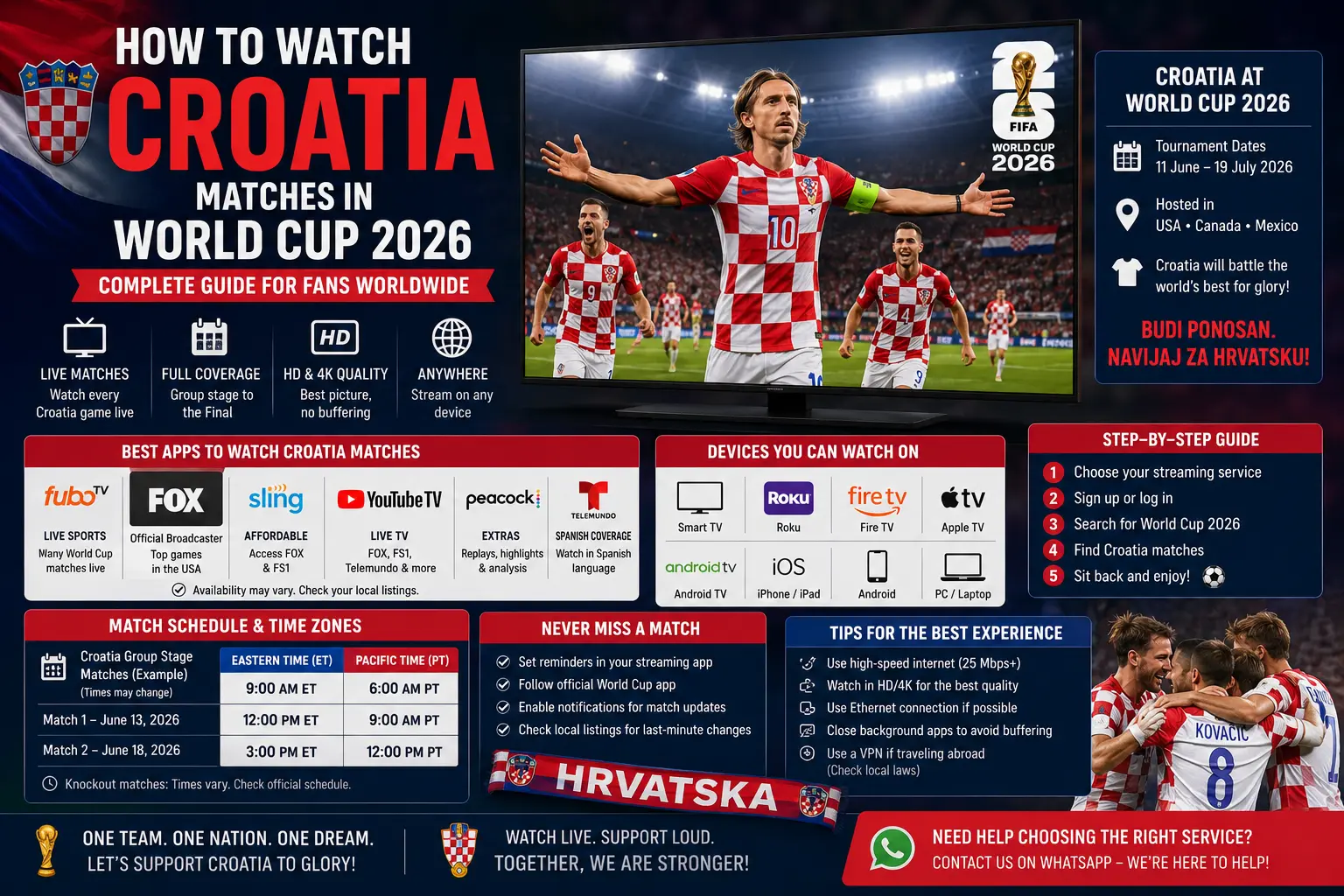
Why Croatia fans should prepare their viewing setup early
World Cup matches create a different kind of pressure on streaming apps and home networks. A normal TV show can buffer for a few seconds and nobody worries too much. A Croatia match is different. If the app freezes before a corner, the audio falls behind the picture, or the TV refuses to load right before kickoff, the evening becomes stressful fast.
That is why this guide is not only about where to watch. It is about how to prepare. Croatian fans using HRT television, HRTi, a Smart TV, Android TV, Firestick, tablet, phone or browser should check the basics before match night. The best setup is simple: authorised coverage, updated app, strong Wi-Fi or Ethernet, a working login and one backup device ready.
FIFA lists Croatia in Group L with England, Panama and Ghana. Croatia already opened the group against England, and the remaining fixtures against Panama and Ghana are crucial for the tournament path. Because the matches are played in North America, some kickoff times are late in Croatia, so a reliable viewing setup matters even more.
Croatia's remaining Group L schedule
For viewers in Croatia, the key detail is not only the date but the local time. A match listed in North America may appear on a different calendar day in Croatia because of the time difference. Prepare notifications carefully and check whether the broadcaster lists the event on the evening before or after midnight.
| Fixture | Official venue | Kickoff reference | Viewing note for Croatia |
|---|---|---|---|
| Panama vs Croatia | Toronto Stadium | June 23, 2026 | Late-night / after-midnight viewing in Croatia; check HRT schedule. |
| Croatia vs Ghana | Philadelphia Stadium | June 27, 2026 | FIFA lists the kickoff at 23:00 in Zagreb; confirm on HRT before match day. |
Fans who missed the England match can still use official highlights, replay clips and broadcaster coverage where available. For a match-specific setup guide, see our England vs Croatia World Cup 2026 viewing guide. This page focuses on Croatia's wider tournament setup and the practical checks that apply to every remaining match.
Isprobajte CroTV4K besplatno 24 sata
Testirajte CroTV4K na svom Smart TV-u, Firesticku, Android boxu, mobitelu ili tabletu. Provjerite hrvatske kanale, sport, filmove i kvalitetu streaminga prije odabira plana.
How HRTi fits into Croatia's World Cup viewing
HRTi is HRT's multimedia service for online viewing and listening. HRT describes the platform as a service for users who want to watch and listen to HRT programmes over the internet on computers, smartphones and televisions. The official HRTi app listings also describe live TV, catch-up content, on-demand libraries and a programme guide.
For World Cup viewing, HRTi is useful when you are not sitting in front of a traditional TV signal. It can help on a laptop, phone, tablet or supported TV setup. Still, it is important to remember that app availability and programme rights are not the same thing. The app may work on your device, but a specific sports event can still depend on rights, location and broadcaster scheduling.
Before kickoff, open HRTi and test any normal live or on-demand video. If the app asks for login, update, permissions or device confirmation, complete that early. Do not leave registration or password recovery for the last five minutes before the national anthem.
Smart TV setup for Croatia matches
A modern Smart TV is usually the easiest way to watch Croatia matches at home. The large screen, normal remote and living-room sound make it the preferred option for families. But Smart TVs can also be the most frustrating devices when apps are old, storage is full or Wi-Fi reception is weak.
Start with software updates. Check the TV settings menu for system updates and app updates. Then open the app you plan to use and play a test video for several minutes. If the video starts quickly and remains stable, your TV is probably ready. If it loads slowly, drops quality or freezes, fix the problem before match day.
If your Smart TV is older and no longer supports the app properly, do not waste the entire evening fighting the TV. Use a laptop with HDMI, a compatible streaming device, or a phone/tablet cast option if supported. Older TVs often have weak processors and slow app stores, while a simple external device can make the experience smoother.
Smart TV checklist
- Update the TV software and the streaming app.
- Open the app and test playback before match day.
- Use Ethernet if the TV is close to the router.
- Use 5 GHz Wi-Fi if Ethernet is not possible.
- Restart the TV before important matches.
- Keep a backup device ready in case the app fails.
Mobile, tablet and laptop viewing
Mobile and laptop viewing is useful for late matches, travel, work breaks and situations where the main TV is not available. Phones and tablets are often more reliable than old Smart TVs because the apps update more frequently. A laptop browser can also be a strong backup because it is easier to refresh, clear cache or switch networks.
If you plan to watch on mobile data, remember that live football can use a lot of data. Wi-Fi is usually safer for a full match. If you are travelling in Croatia, test your mobile signal in the exact place where you will watch. A phone may show 4G or 5G but still struggle inside thick buildings or busy public areas.
On a laptop, update the browser and disable unnecessary extensions if playback is unstable. Use Chrome, Safari, Edge or Firefox in a current version. If the browser stream stutters, close heavy tabs, pause downloads and make sure the laptop is not in battery-saving mode.
Firestick, Android TV and streaming boxes
Many Croatian viewers use Android TV boxes, Firestick-style devices or other streaming boxes because they are flexible and work with many televisions. They can be excellent for match night, but they also need basic maintenance. A device that is full of old apps, temporary files and background processes may buffer even when the internet connection is good.
Before Croatia's next match, restart the device, remove apps you no longer use and update the official app you plan to watch with. If the device is hidden behind the TV and feels hot, give it more airflow. Heat can slow small streaming sticks, especially during long live events.
If you use IPTV-player applications for organising legitimate channels and streams, keep the setup responsible. IPTV is only a delivery method; the source still needs to be authorised. For general app setup help, read our IPTV Smarters Pro setup guide, but always use legal sources and follow broadcaster rules in your country.
How to reduce buffering before kickoff
Buffering usually comes from one of four places: weak Wi-Fi, overloaded internet, an old app or a slow device. Live football exposes these problems more than normal video because the stream must stay close to real time. If your connection pauses every few minutes, you will miss key moments.
Start with the router. Restart it a few hours before the match, not at kickoff. Place it away from thick walls, metal objects and closed cabinets. If possible, connect the TV or box by Ethernet. If not, use 5 GHz Wi-Fi when the device is near the router, or 2.4 GHz when distance and walls are more important than speed.
Also check what everyone else in the house is doing. Large downloads, cloud backups, online games and multiple 4K streams can reduce stability. Ask people to pause heavy usage during the match if possible. For a deeper troubleshooting process, use our buffering fixes guide.
Watching Croatian TV and football abroad
Many Croatians live or travel outside Croatia. For them, the main question is whether the same app and coverage will work abroad. The answer depends on rights, location and platform terms. Some content may be available internationally, while major sports events are often restricted to the country where the broadcaster holds rights.
If you are outside Croatia, check the official broadcaster in that country. Do not rely on random websites that appear only for big matches. They may have fake play buttons, unsafe pop-ups, poor quality or unreliable links. A legal local broadcaster, hotel TV package, official tournament app or authorised streaming platform is safer and more stable.
For broader channel organisation and Croatian-language content, our Croatian channels guide explains how viewers often organise HRT, RTL, Nova TV, regional channels and favourites inside supported apps. Keep that separate from World Cup rights, because live sports can have stricter restrictions than general TV channels.
Should you use a VPN?
A VPN is not a magic fix for streaming. It can sometimes improve privacy on public Wi-Fi, but it can also create playback problems. Some broadcasters block VPN traffic, and some apps may show location errors when the connection appears to come from another country. For official World Cup coverage in Croatia, start without a VPN unless the broadcaster itself recommends otherwise.
If you are travelling, follow the rules of the platform you are using. Do not use technical tricks to bypass broadcasting restrictions. It is better to find the official provider in your current location and prepare that app correctly.
Best practical setup for Croatian fans
The best setup is not the most complicated one. For most households in Croatia, a Smart TV or HRTi-supported device with strong internet is enough. The key is preparation. Update the app, check the schedule, test playback and keep a backup screen ready.
If you are watching with family or friends, open the stream early and avoid switching apps during pre-match coverage. If you want highlights, replays or post-match analysis, check HRT's World Cup page after the match instead of searching through unreliable websites.
Croatia matches are emotional, especially when qualification is on the line. The technology should disappear into the background. A clean setup lets you focus on the match rather than the remote, password or router lights.
Isprobajte CroTV4K besplatno 24 sata
Testirajte CroTV4K na svom Smart TV-u, Firesticku, Android boxu, mobitelu ili tabletu. Provjerite hrvatske kanale, sport, filmove i kvalitetu streaminga prije odabira plana.
Final thoughts
Croatia's World Cup 2026 matches are major moments for fans in Zagreb, Split, Rijeka, Osijek and Croatian communities abroad. HRT and HRTi should be the first places to check for official coverage in Croatia, while FIFA remains the reference for fixtures, venues and kickoff details.
Prepare early and keep the setup simple. Use authorised coverage, update your app, test the stream, improve Wi-Fi and keep a backup device ready. Those steps will not make Croatia score more goals, but they will help you watch the match with fewer technical problems and more confidence.
Frequently asked questions
Where can viewers in Croatia watch Croatia World Cup 2026 matches?
Viewers in Croatia should check HRT television coverage and HRTi, HRT's official digital service, for authorised World Cup coverage and match-day programming.
Can I watch Croatia matches on HRTi?
HRTi is HRT's multimedia service for watching and listening to HRT programmes online on computers, smartphones and televisions. Availability of each match should be checked on HRT's World Cup schedule.
What devices should I prepare before Croatia matches?
Prepare your Smart TV, Android TV, Firestick, mobile phone, tablet or laptop by updating the app, signing in early and testing playback before kickoff.
How can I reduce buffering during Croatia matches?
Use Ethernet or strong 5 GHz Wi-Fi where possible, restart the router and device, close downloads, update the app and test the stream before kickoff.
Can Croatian fans abroad use the same viewing apps?
Broadcast rights depend on location. Croatian fans abroad should check the official broadcaster available in the country where they are watching and follow the platform's terms.
Is IPTV legal for watching football matches?
IPTV is only a delivery technology. Use authorised broadcasters and legitimate services that have the rights for your country.
Need help preparing your device?
Message CroTV4K on WhatsApp and tell us your device model, country and the app you are using. We can help with general setup, Wi-Fi checks and playback troubleshooting.
Contact CroTV4K on WhatsApp